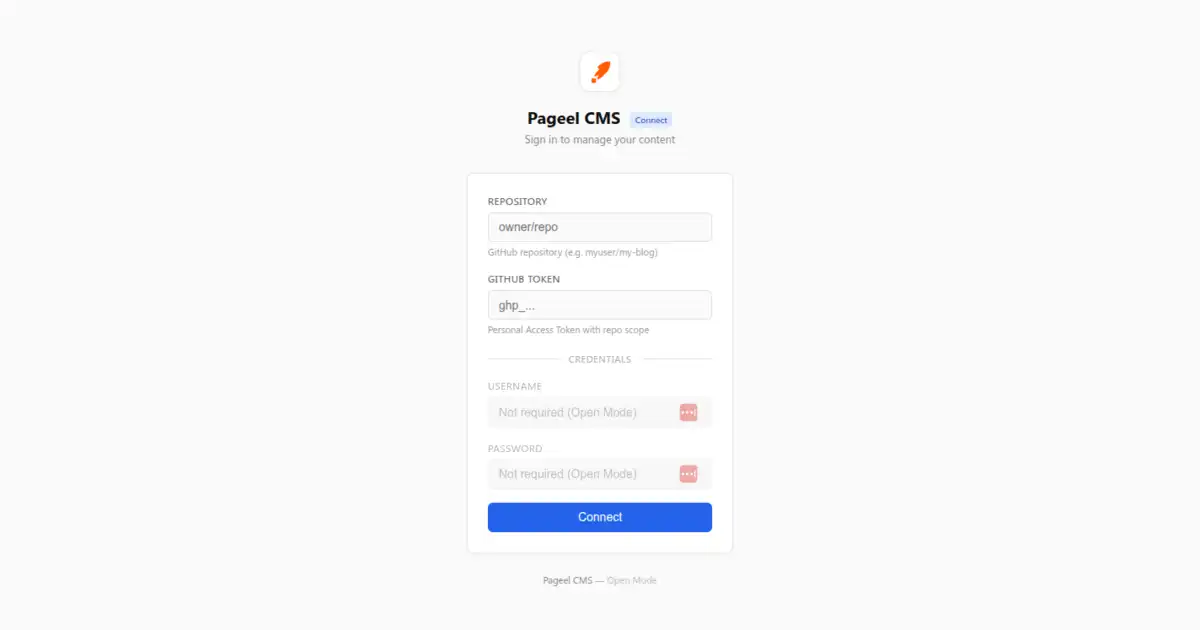
We are excited to announce Pageel CMS v2.0.0 — the most significant update since launch.
Pageel v2 is a complete architectural rewrite: from a client-side React SPA to a server-rendered Astro 6 SSR application. The result is a CMS that is fundamentally more secure, faster, and ready for multi-tenant deployments.
What Changed
The v1.x architecture made a pragmatic trade-off: the browser talked directly to GitHub’s API using your Personal Access Token. It was simple, but it meant your token lived in the browser.
v2.0 eliminates this entirely:
v1.x:  Browser (React SPA) → GitHub API (client-side token)
v2.0:  Browser → Astro SSR Server → GitHub API (server-side token)
Your Git token never leaves the server. The browser communicates with Astro API routes, which proxy requests to GitHub. Authentication uses bcrypt-hashed passwords with HMAC-SHA256 signed session cookies.
Key Changes in v2.0
Server-Side Authentication
The new auth system replaces client-side token encryption with a proper server-side model:
- Bcrypt password hashing (12 rounds, constant-time comparison)
- HMAC-SHA256 session cookies (HttpOnly, SameSite=Strict, Secure flags)
- Rate limiting (5 attempts per minute per IP)
- Server-side token storage — your GitHub PAT is stored in environment variables or encrypted session data
Three Authentication Modes
v2.0 introduces flexible deployment modes configured via .env:
| Mode | How It Works | Best For |
|---|---|---|
| Server Mode | Admin sets CMS_USER, CMS_PASS_HASH, GITHUB_TOKEN, and CMS_REPO in .env. Users log in with username/password. | Single-admin sites, personal blogs |
| Connect Mode | Admin sets CMS_USER and CMS_PASS_HASH. Users log in and provide their own GitHub token and repo. | Teams, multi-tenant deployments |
| Open Mode | No password required. Users provide a GitHub token at login. | Open source projects, public demos |
Proxy Architecture
All GitHub API calls now go through server-side proxy routes:
/api/proxy/git— Git Tree/Blob API operations/api/proxy/upload— File upload via GitHub Contents API/api/proxy/blob— Binary file serving (images, PDFs)
This proxy layer means the CMS works behind corporate firewalls and avoids CORS issues entirely.
Multi-Tenant Support
In Connect Mode, each user brings their own GitHub token and target repository. The server creates isolated sessions — one Pageel deployment can serve multiple users editing different repos simultaneously.
Updated Tech Stack
| Component | v1.x | v2.0 |
|---|---|---|
| Runtime | Browser (Vite SPA) | Node.js (Astro SSR) |
| Framework | React 19 | Astro 6 + React 19 |
| Auth | Client-side AES-GCM | Server-side bcrypt + HMAC |
| Git API | Direct from browser | Server-side proxy |
| Deployment | Static hosting | Any Node.js host |
The frontend remains React 19 with Tailwind CSS 4 — the editing experience is unchanged. Only the security and networking layers moved server-side.
Getting Started with v2.0
1. Clone and Install
git clone https://github.com/pageel/pageel-cms.git
cd pageel-cms
npm install
2. Configure
cp .env.example .envSet your credentials:
CMS_USER=admin
CMS_PASS_HASH="$2a$12$..."
CMS_SECRET=your-random-secret-min-16-chars
GITHUB_TOKEN=ghp_your_token
CMS_REPO=username/repo
3. Generate Password Hash
npx pageel-cms hash your-password4. Run
npm run dev
# Production:
npm run build && node dist/server/entry.mjs
Migration from v1.x
If you are running Pageel v1.x, upgrading to v2.0 requires:
- Switch from static hosting to Node.js hosting — Astro SSR needs a Node.js runtime.
- Create
.envfile — move your GitHub token from the browser to server-side environment variables. - Generate a bcrypt password hash — use
npx pageel-cms hash <password>. - Update deployment — Vercel/Netlify users can use their Node.js adapter; VPS users run
node dist/server/entry.mjs.
Your content repository stays exactly the same — no data migration needed.
Links
- GitHub: pageel/pageel-cms
- Documentation: Setup Guide
- Security: Security Assessment
Get started today — it’s free, open source, and MIT licensed.